
Ubuntu Budgie 26.10 Release Notes
Ubuntu Budgie 26.10 Release Notes

Introduction and overview
Ubuntu Budgie 26.10 (Stonking Stingray) is a Standard Release with 9 months of support by your distro maintainers and Canonical, from Oct 2026 to July 2027.
These release notes showcase the key takeaways for 26.04 upgraders to 26.10.
In these release notes the areas covered are:
- Website news
- New features and enhancements released since 26.04
- Upgrading from 26.04 Ubuntu Budgie
- Fixed Issues
- Known Issues when upgrading
- Support arrangements for our distro
- Where to download Ubuntu Budgie
Website
Nikola has led the charge this year to convert our hosted wordpress based website into a static pagescms based site. I’m sure you can appreciate many long hours over weeks and months to complete and it is looking great!
New Features and Enhancements
The key focus for this cycle was the budgie-desktop 10.10.3 uplift. We are pleased how well this has been received - more information on the buddiesofbudgie blog.
Whilst the release date fell beyond Ubuntu’s mid August freeze date we still have had lots of fun with the 26.10 release.
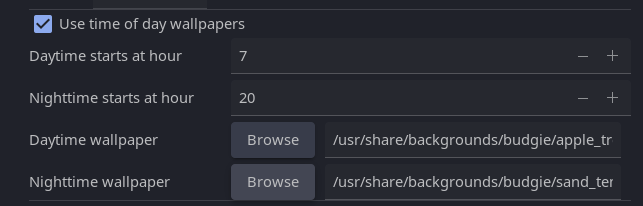
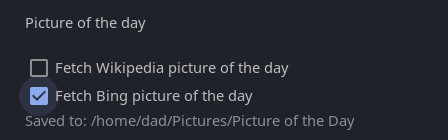
Highlights - budgie on wayfire, creating a brand new radio search & play raven widget, weather applet updates galore, supporting nighttime & daytime wallpapers via our wallstreet app together with ‘wallpaper of the day’ from Bing and Wikimedia
Applets and mini-apps
- Lots of updated translations from our brilliant translators https://www.transifex.com/ubuntu-budgie/
- Our wallpaper manager & switcher app now include two additional options
- Budgie Weather now includes the ability to display wind speed in various units
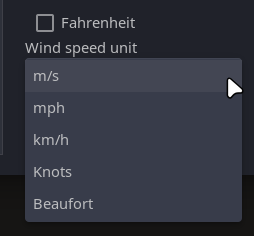
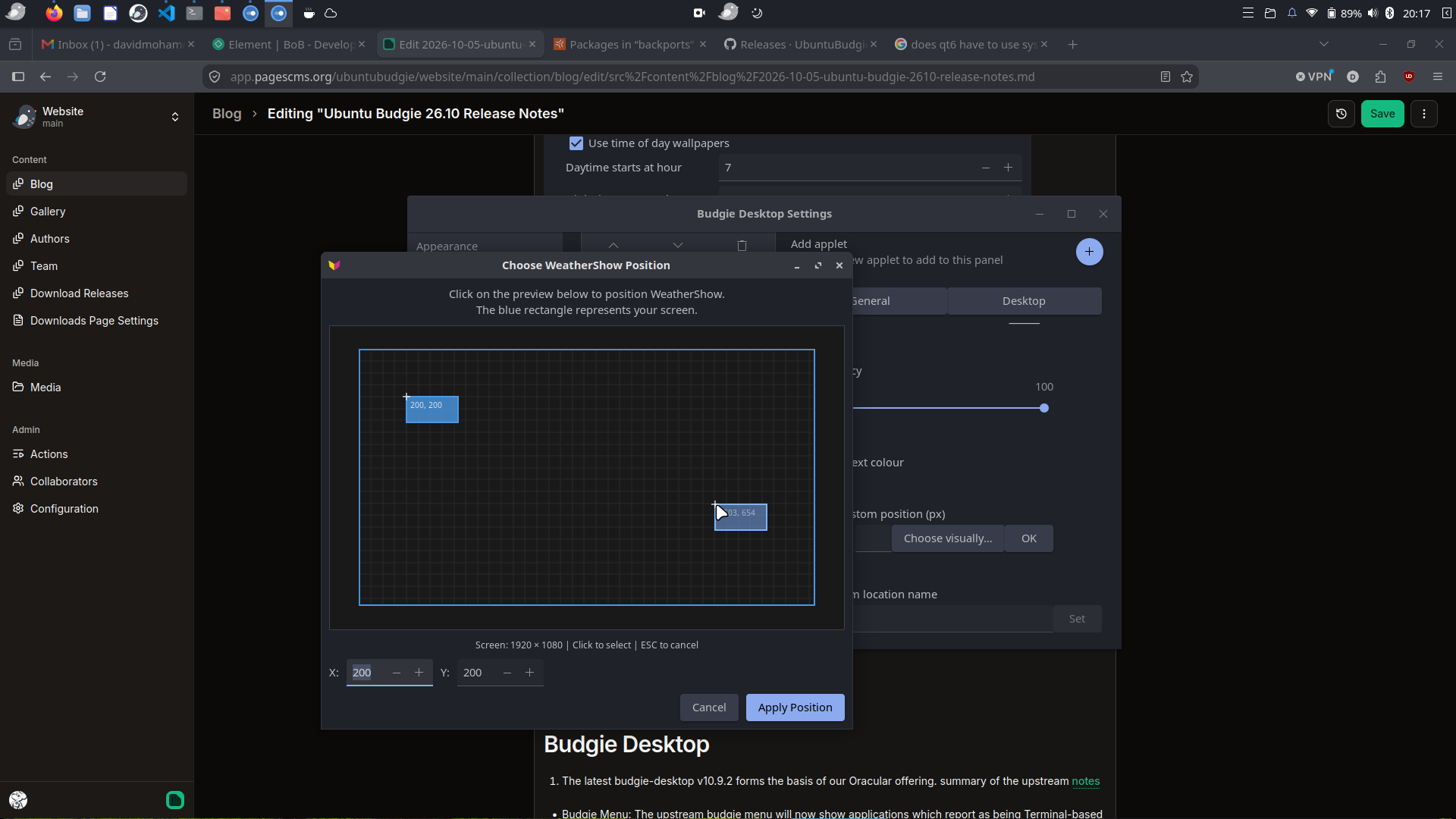
… and you can now easily move the applet around your desktop
- budgie-radio-widget: we have created a brand new raven widget to allow you to find and play from 1000s of internet radio stations
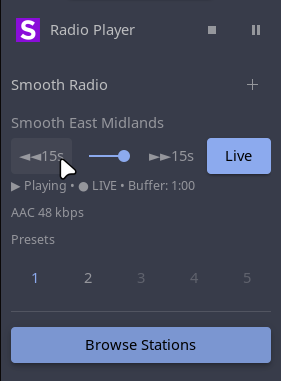
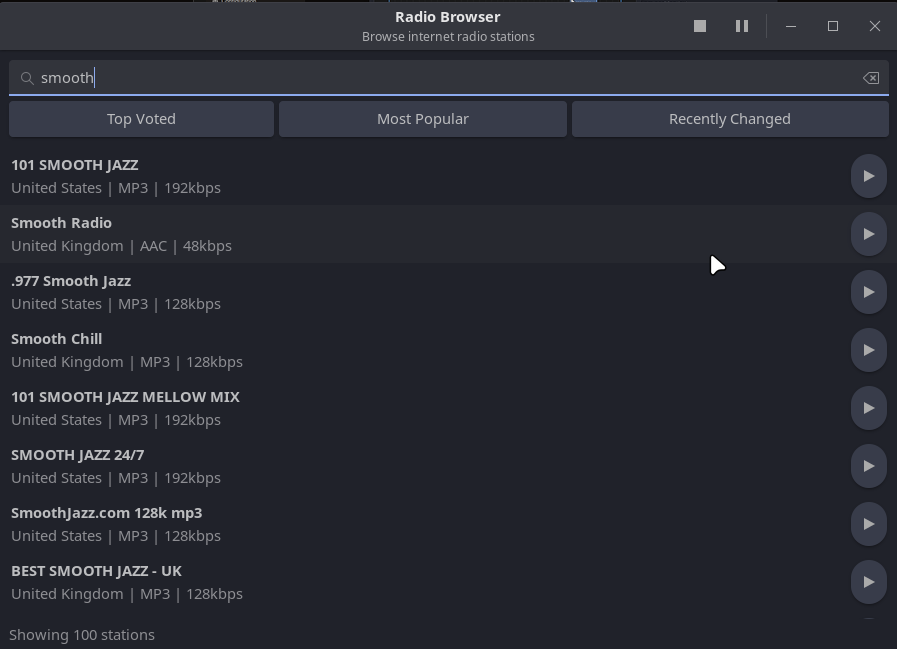
You can save multiple presets and you can scrobble back and forth / pause playing streams
Bonus for all of you 26.04 LTS folk - all of this has been backported - see below
Budgie Desktop
We have backported a key fix to budgie-desktop this cycle to both 26.04 and 26.10: Polkit dialogs no longer freeze the desktop
But we taken the advantage of budgie 10.10 to be able to run on various wayland compositors. Key has been wayfire where we have written a bridge between budgie and wayfire to make the experience as seamless as possible
To try this use our budgie-backports PPA:
sudo add-apt-repository ppa:ubuntubudgie/backports-budgie
sudo apt install budgie-wayfire-session
Then from the login screen choose the wayfire session
An just for all of us - the very latest wayfire v0.11 is now in this backports-budgie repo.
Other Improvements and Bug Fixes
- Default wallpaper updated for stonking.
Budgie Welcome
Our welcome app is automatically updated for all 24.04/ 26.04 and 26.10 users
Budgie welcome now has its stonking configuration.
Areas to look out for
The Ubuntu release notes are to be found here
Packaging Updates
Whilst not immediately obvious, various packages need to be updated for a number of reasons, so this section lists what updates have been made and this needs extra testing to confirm no regressions:
- budgie-user-indicator-redux
- budgie-indicator-applet
- whitesur-gtk-theme
- whitesur-icon-theme
Upgrading from previous releases
It is important to keep in mind a few useful tips before attempting a release upgrade:
IMPORTANT: remember to double-check you have the following vital package before you upgrade:
sudo apt install ubuntu-budgie-desktop- Backup your data.
- Install all available updates and reboot.
- It is always a good idea to run either a full system snapshot with Timeshift, to a secondary drive, or a full system image using Clonezilla.
- If you have PPAs that come with updated kernel, mesa, GPU drivers, it is better to purge those PPAs and reboot before attempting release upgrade.
- Once release upgrade starts, all your PPAs will be disabled. If you rely on important software from PPAs, it is better to manually check if those are updated for upcoming release of Ubuntu.
- After upgrade is completed, remember to go to software sources, change release name on your PPAs, enable them and refresh package cache.
Scheduled upgrade from 26.04 LTS
Users of Ubuntu Budgie 26.04 LTS will not be prompted to upgrade to 26.10 automatically. Remember the upgrade path for most LTS users is from LTS to LTS i.e. 26.04 to 28.04. LTS versions are focused on stability.
Manual upgrade from 26.04
After the release of 26.10, ensure you change your Software Sources to offer updates for any version:
You will then be offered to upgrade when you run Software & Updates.
Please refer to the community wiki for more help:
https://help.ubuntu.com/community/Upgrades
Also, Ask Ubuntu has an excellent guide to help you upgrade:
http://askubuntu.com/questions/110477/how-do-i-upgrade-to-a-newer-version-of-ubuntu
- We recommend that you install Ubuntu Budgie on hardware - suggested configuration is 8GB or more RAM and a newer than 10 year computer with 40GB disk space or more. UB can be installed in a virtual machine; we recommend you use 3D host graphics with 128Mb virtual graphics memory and 4GB RAM or more plus 40GB virtual disk space. Running with defaults on most virtualisation systems often results in a broken experience with crashes when launching budgie-control-center, applications such as Microsoft Edge failing to run because of the lack of a graphics card, choppy youtube experience etc.
On-going support
As an official community flavour we will be supporting the distro for nine months. This support includes releasing important stability issues as well as critical security fixes directly affecting our distro.
Budgie packages are primarily in the Universe repository where the community help maintain this software.
Community Support is available via our discourse forum. Ask Ubuntu and Ubuntu forums can and should also be used for all Ubuntu matters - all flavours are Ubuntu!
Final Release
Links to download final releases, as well as installation instructions, will be available on our Ubuntu Budgie website once Final Release is built: https://ubuntubudgie.org/downloads/.
Known Issues
- On first install and logon, using budgie-welcome to access web-based installs such as Chrome will open gedit not firefox. The workaround is to launch firefox first. Logout and login and open Budgie Welcome again
Infrastructure Sponsors
We just wanted to thank our infrastructure sponsors who help us keep the lights on.
Discourse
Discourse is the 100% open source discussion platform built for the next decade of the Internet. Use it as a mailing list, discussion forum, long-form chat room, and more!